To wear the Walla Sound Beat, hook it over your ears with the neckband behind your head, and rest the two speaker pads flat on your cheekbones, just in front of each ear. If the pads lift or slip, tie the included Adjustable Strap across the neckband to tighten the fit.
Why does fit change the sound of the Walla Sound Beat?
The Walla Sound Beat is a bone-conduction headphone. Its pads send small vibrations through your cheekbones to your inner ear, so your ears stay open to traffic, coaches and conversation.
Because the sound travels through bone, the pads must touch your cheekbones. If a pad lifts off, music sounds thin, quiet or tinny. If one pad is looser, that side sounds weaker.
How do I wear the Walla Sound Beat?
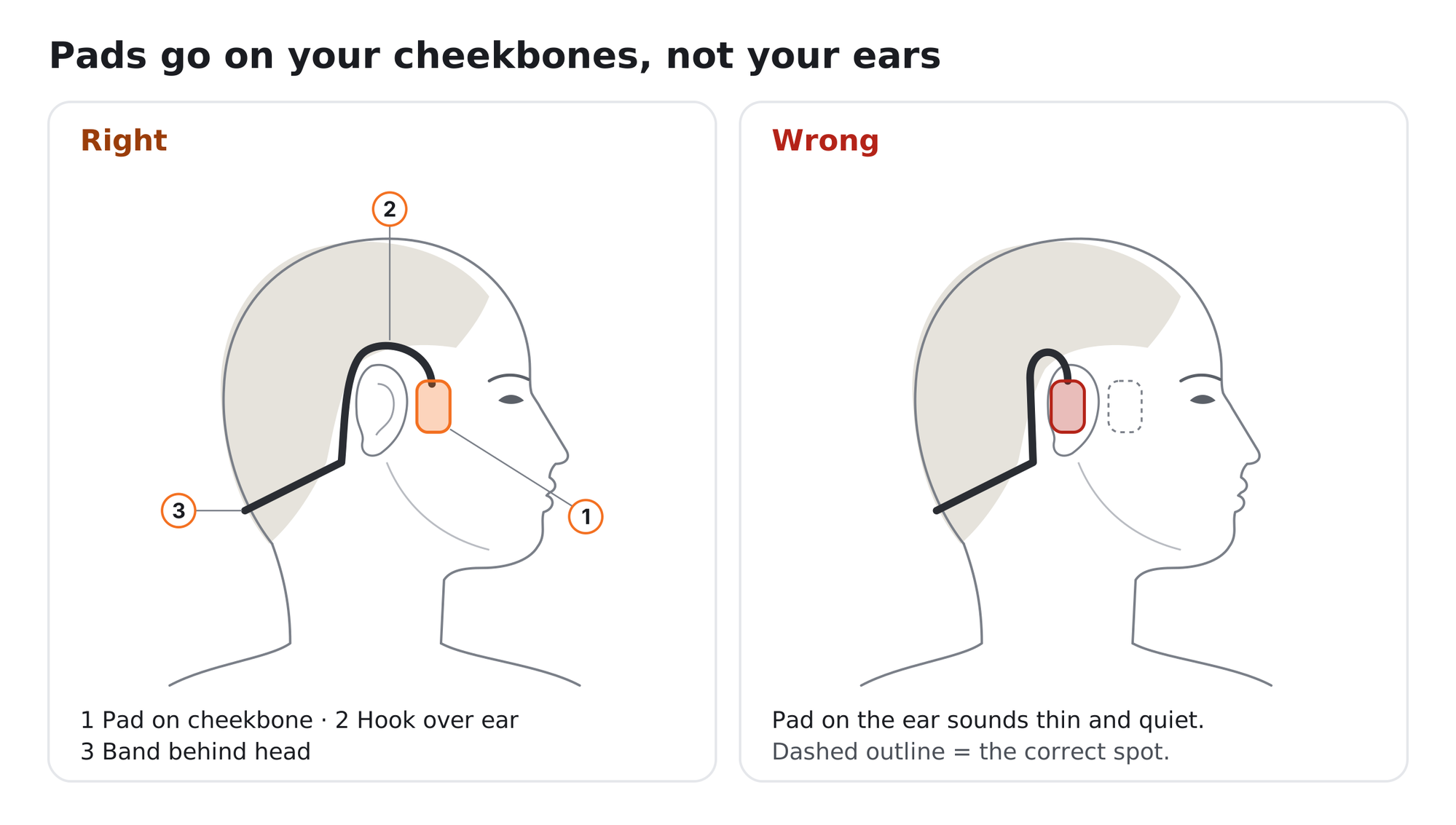 Right: the pad rests on the cheekbone in front of the ear, the hook goes over the ear and the neckband sits behind the head. Wrong: the pad covers the ear, which makes the sound thin and quiet.
- Hold them the right way round: pads facing forward, neckband behind you.
- Hook them over your ears, like the arms of a pair of glasses.
- Let the band rest behind your head. A small gap is normal.
- Rest the pads flat on your cheekbones, just in front of your ears, not on them.
- Fine-tune with music playing. Slide the pads a few millimetres until the sound is full and even on both sides.
How do I use the Walla Sound Beat Adjustable Strap?
The Adjustable Strap ties across the neckband and pulls the pads firmly onto your cheekbones. It gives fuller sound and a fit that stays put during runs, workouts and on smaller heads.
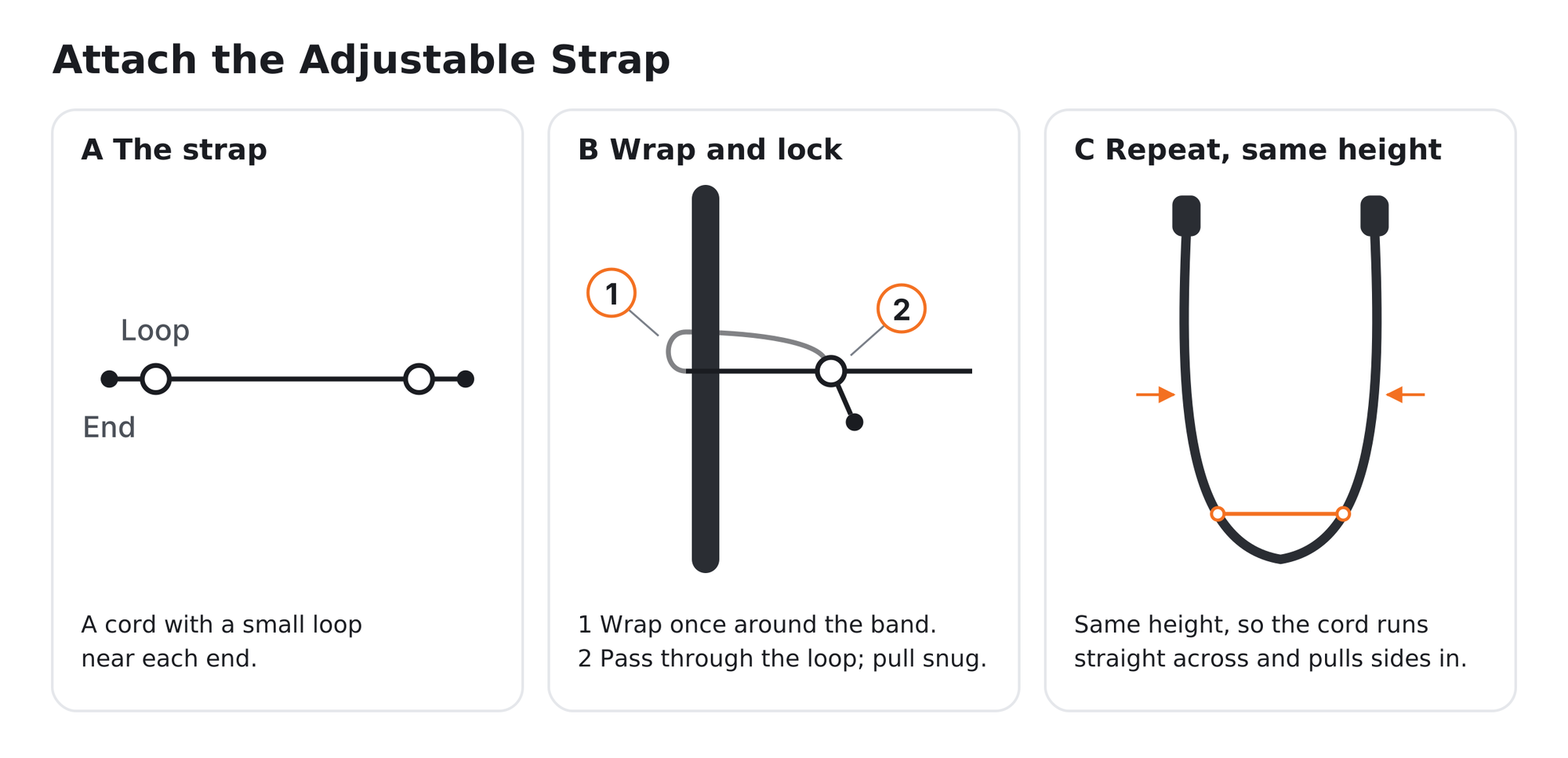
The strap is a nylon cord with a loop near each end. Wrap one end once around the neckband, pass it through its loop, then repeat on the other side at the same height.
- Take the headphones off and hold them with the neckband at the bottom.
- Wrap one end of the strap once around the lower curve of the neckband.
- Pass the end through its loop and pull it snug.
- Repeat on the other side at the same height, so the strap runs straight across.
- Put the headphones on and rest the pads on your cheekbones.
- Tighter fit: move both ends higher up the band.
- Looser fit: move both ends lower.
- Keep both sides level so both pads press evenly. Snug, never tight.
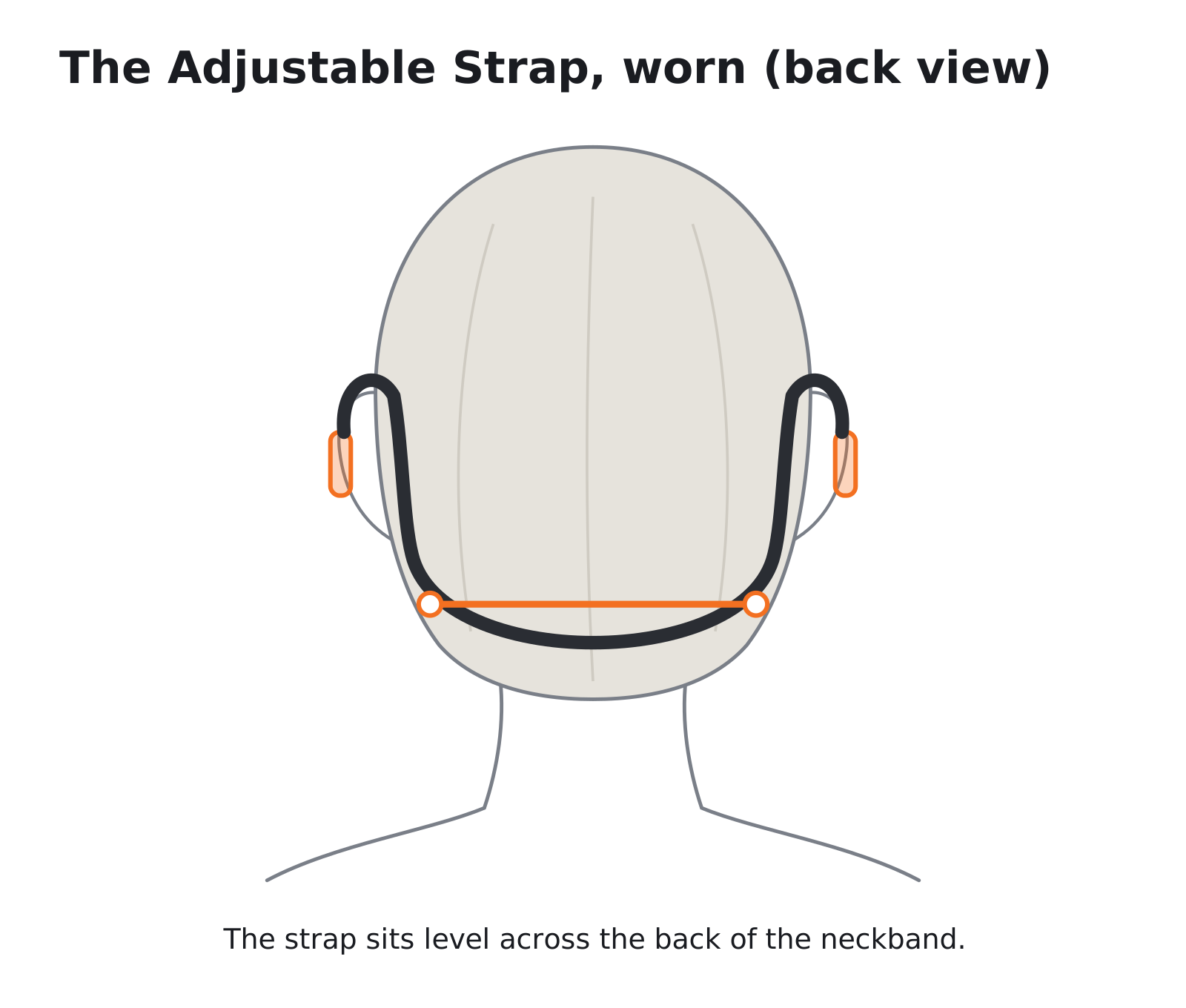
Back view of a person wearing the Walla Sound Beat with the Adjustable Strap tied level across the neckband.
Why does my Walla Sound Beat sound thin, quiet or uneven?
- Thin, tinny or quiet sound: move the pads off your ears and onto your cheekbones. Add the Adjustable Strap if they keep lifting.
- One side quieter: attach the strap at the same height on both sides, tuck hair away from the pads and check your phone’s left/right audio balance.
- Slips when you run: move both ends of the strap one step higher.
- Buzzing on your skin: this is normal at high volume. Lower the volume a step.
- Light flashing red: the battery is low. Charge with the magnetic cable.
Need help with your Walla Sound Beat?
Email support@wallasound.com or call +1 856 386 6959.
Still need help? Create a support request with our customer service team and we'd be happy to help.